
A great design can still flop if it’s shown on a flat, lifeless image. That’s the gap the best mockup sites for clothing close — they put your artwork on a real-looking t-shirt, hoodie, or tote in seconds, no camera or studio required. In 2026 the tools have changed fast: AI now handles fabric folds, multiple angles, and even video. This guide ranks seven clothing mockup generators worth your time, what each does best, and what they cost, so you can pick the right one without testing twenty tabs first.
Whether you’re validating a single tee or building a full catalog to sell clothes online, the right mockup tool saves hours and makes your store look like it has a budget it doesn’t.
Why clothing mockup sites matter for sellers
Shoppers can’t touch your fabric online, so they judge fit, drape, and quality entirely from images. A plain flat-lay rarely sells; a design shown on a model in good lighting does. Mockup sites let you skip the photographer, the sample order, and the editing software, and still ship listing images that look professional.
For print-on-demand and dropshipping especially, this is the difference between launching this week and waiting on samples. You design, drop it onto a template, and you’re live. Most free mockup tools now cover t-shirts, hoodies, sweatshirts, tank tops, and accessories, so a single account can dress an entire collection.
Quick gut-check before you commit to any tool: does it export without a watermark, does it have your specific garment (not just a generic tee), and can you change the shirt color? If yes to all three, it’s usable. The rest is polish.
What to look for in a clothing mockup generator
- Watermark-free downloads — a mockup with someone else’s logo on it is useless for a store listing.
- Garment range and accuracy — oversized tees, crop tops, and Bella Canvas blanks behave differently. The closer the template is to what you actually print on, the fewer surprises.
- Color and placement control — you should be able to recolor the garment and nudge the design without re-uploading.
- Multiple angles or video — front, back, side, and short clips reduce buyer hesitation, especially for streetwear.
- Output quality — fine for social and casual listings is one bar; high-end fashion is another. Know which you need.
The 7 best mockup sites for clothing in 2026
1. Mockey AI — best free clothing mockup generator overall
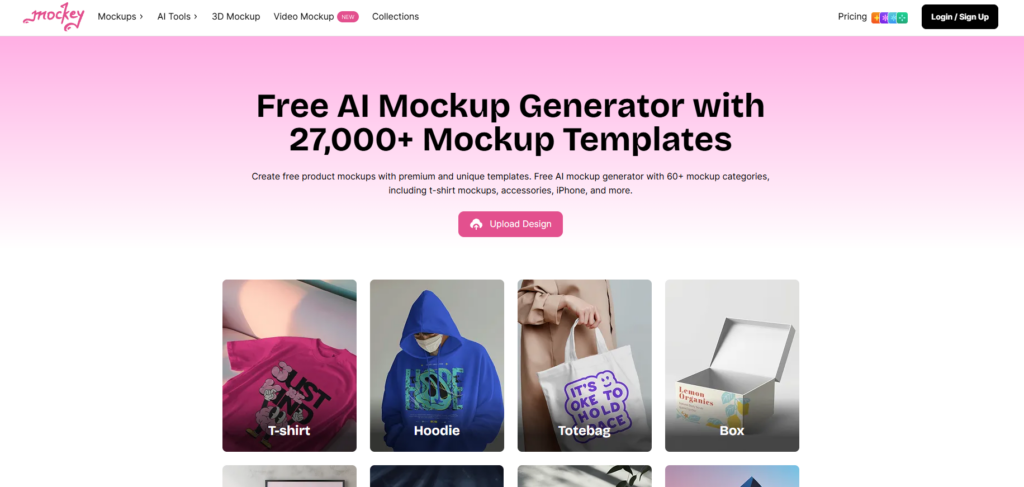
Mockey AI is the tool most POD sellers land on, and for good reason. It offers more than 27,000 mockup templates across 60+ categories, with a free plan that lets you download apparel mockups without a watermark — something most rivals lock behind a paywall. Apparel coverage is broad: t-shirts, hoodies, sweatshirts, tank tops, crop tops, jackets, and more, on models or as garment-only shots.
What sets it apart in 2026 is the AI layer. The Multi Shot feature turns one design into front, side, 3/4, back, close-up, and flat-lay views with a consistent model. You can animate that model into a short video mockup, run an AI photoshoot for styled scenes, or generate a design from a prompt if you don’t have one yet. There are 3D mockups with MP4 export too.
Honest take: for t-shirts and hoodies the quality is good rather than flawless — close inspection can reveal slight fabric bunching or lighting mismatches, and model diversity is still growing. For casual e-commerce and social, it’s more than enough. Paid plans start at $7/month (as of June 2026) for higher resolution and premium output. If you’re building a brand, pair it with this guide on how to start a clothing brand.
Best for: POD sellers and small brands who want volume, AI tools, and watermark-free exports for free.
2. Placeit by Envato — best for realistic apparel and video
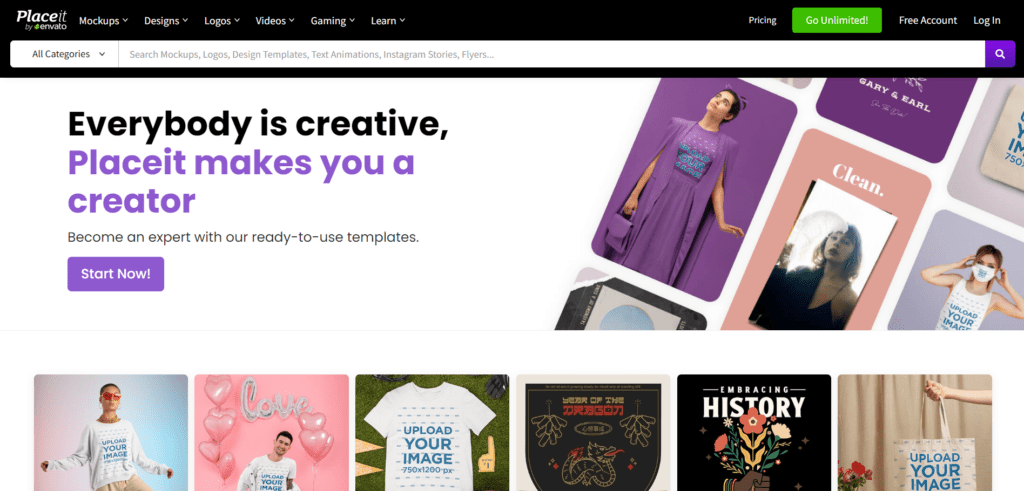
Placeit has been the heavyweight in browser-based mockups since 2013, and in 2026 it runs a library of 150,000+ templates with the largest apparel and device collection online. Its t-shirt and hoodie mockups are arguably the most realistic in the category — the shadow, crease, and color rendering on garments is what print-on-demand operators reach for when they need polished Etsy and Shopify listing images.
It also has a deep catalog of ready-to-post video mockups, plus design templates and logos if you want one subscription to cover branding. One commercial license is included on paid plans, with no per-download fees. The annual plan works out to about $7.47/month (billed yearly, as of 2026). One caution echoed in reviews: cancel carefully and confirm it’s processed, as the cancellation flow has drawn complaints.
Best for: sellers who want the most realistic apparel mockups and a big video library, and don’t mind a subscription.
3. Canva Mockups — best if you already design in Canva
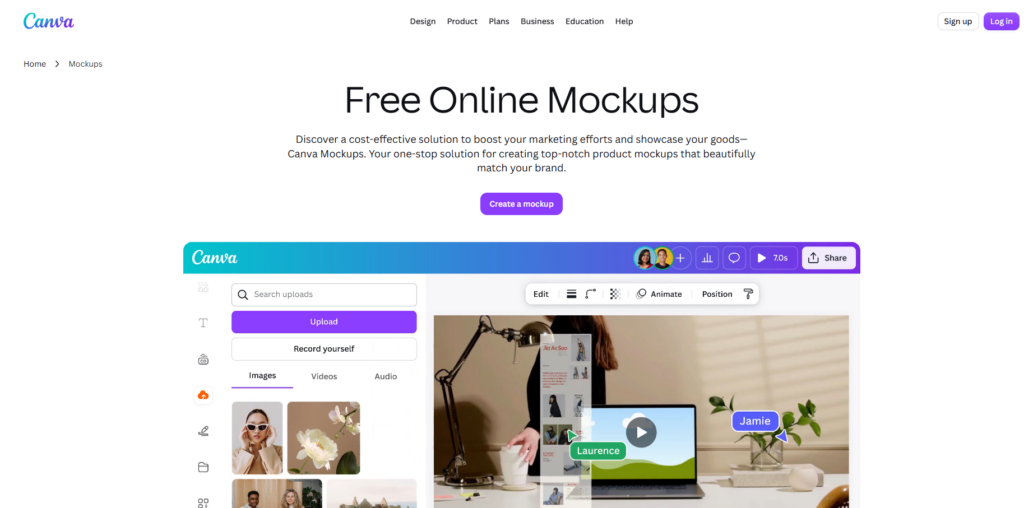
If your workflow already lives in Canva, its built-in Mockups app is the path of least resistance. You drag a design onto a t-shirt, hoodie, or tote template, recolor the garment, and export — all inside the same editor where you made the artwork. Free Canva users can access free mockups without a watermark, while Pro unlocks the full library and AI features like Magic Edit.
The apparel selection isn’t as deep or as photorealistic as Placeit’s, and it’s a general design tool rather than a POD specialist. But the convenience is real: no new account, no exporting and re-importing, and everything from social posts to packaging mockups in one place. For beginners, that single-tool simplicity often beats a more powerful tool they won’t learn.
Best for: designers and beginners who want mockups inside a familiar all-in-one editor.
4. Mockup Generator AI — best free no-watermark all-rounder
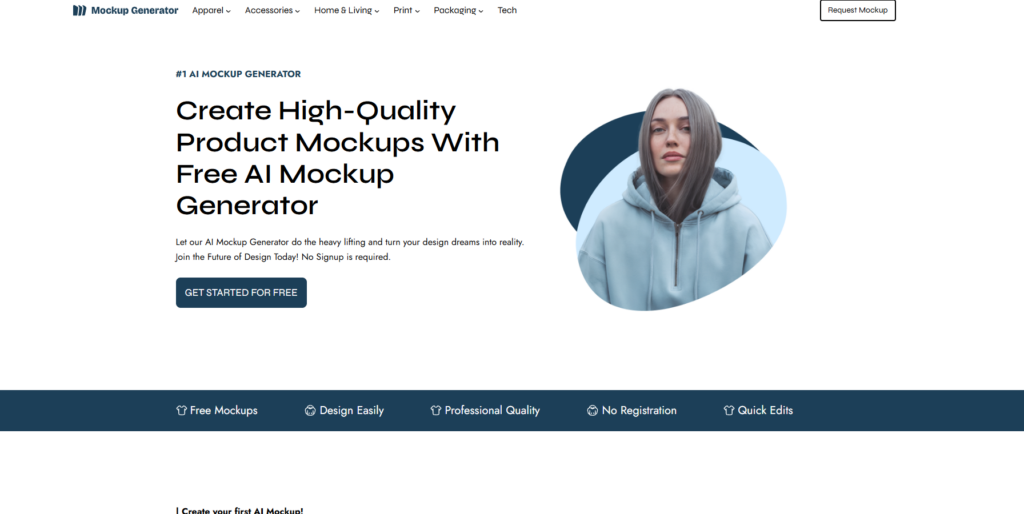
Mockup Generator AI is a free, browser-based generator with 1,000+ templates across 25+ categories, including apparel staples like t-shirts, hoodies, stickers, and tote bags, plus Bella Canvas blanks aimed squarely at POD sellers. Its pitch is simple: unlimited downloads, high-resolution exports, and no watermarks, even on the free tier.
The AI editor adjusts your design to garment shadows, folds, and natural poses in real time, and you can crop, swap backgrounds, recolor the product, and export as PNG, JPG, or PSD. There’s a 3D mockup library too. The Pro plan adds custom-made mockups on request (around 10 per month) if you want visuals that don’t look like everyone else’s.
Best for: sellers who want a clean, watermark-free free tool with PSD export and solid apparel coverage.
5. Mockup World — best free PSD mockup library
Mockup World takes a different approach: instead of an online editor, it’s a massive free library of downloadable mockup files — 18,000+ of them across clothing, accessories, and more. Most apparel mockups come as layered PSDs, so you edit them in Photoshop with full control over colors, textures, and lighting via smart objects.
That makes it the budget pick for anyone comfortable in Photoshop who wants pixel-level control and zero subscription. The trade-off is obvious: you need Photoshop (or a PSD-compatible editor) and a bit of skill, and there’s no one-click AI magic. But for free, high-quality, fully editable clothing mockup files, it’s hard to beat.
Best for: Photoshop users who want free, editable PSD mockups and total control.
6. Mockup Mark — best for accurate POD brand blanks
Mockup Mark specializes in apparel, and it leans into one thing competitors often skip: real print-on-demand brand blanks. It carries mockups for Bella + Canvas, Gildan, Anvil, and American Apparel, so you can show your design on the exact garment you’re actually selling — which means more accurate visuals and fewer return-inducing surprises for customers.
The library spans e-commerce flat-lays and studio shots through to lifestyle mockups for social ads, covering t-shirts, hoodies, sweatshirts, and tank tops. New templates land weekly and free mockups stay available in the generator. If you’re serious about matching listing images to your supplier’s blanks, this is a smart specialist to keep open. It also pairs well with picking the right print on demand tools for your stack.
Best for: POD sellers who print on specific brand blanks and want their mockups to match.
7. 3DMockup.co — best free 3D and animated clothing mockups
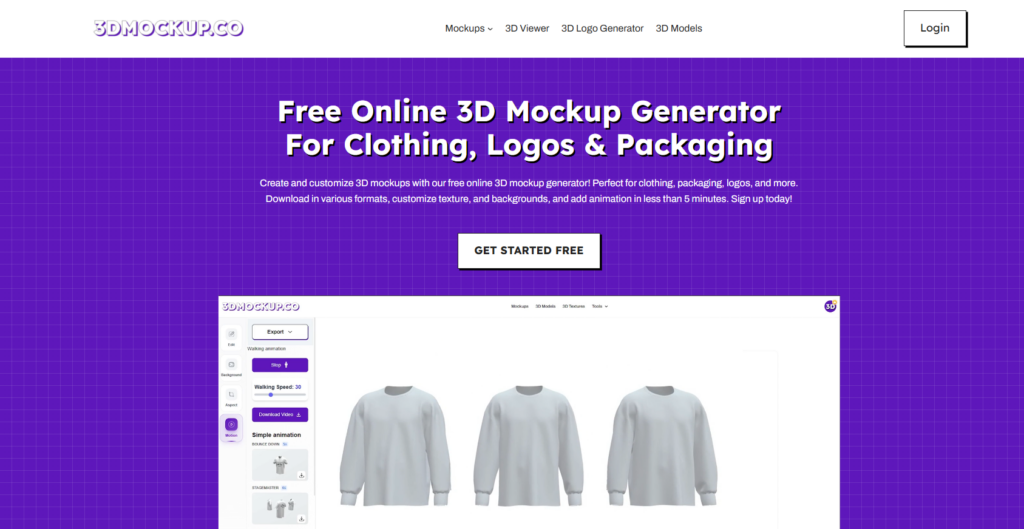
3DMockup.co focuses on something flat tools can’t do: true 3D. You drop a transparent PNG onto a 3D garment, and it maps to seams, folds, and fabric texture while you orbit the model to any angle. With 1,000+ templates for t-shirts, hoodies, caps, and jackets, you can recolor, reposition, and export watermark-free as PNG, JPG, or video.
The standout is motion. It supports walking and wind animations with adjustable speed and MP4 export — ideal for Reels, TikTok, and product videos where movement stops the scroll. The free plan covers core 3D mockups; a Pro tier adds 4K stills and 60fps animated exports. Apparel range is narrower than the 2D giants, but for rotating, animated clothing visuals at no cost, it fills a genuine gap. These video clips work nicely alongside a plan to design and sell t-shirts online.
Best for: creators who want 3D, multi-angle, and animated clothing mockups for short-form video.
Quick comparison: 7 clothing mockup tools
Pricing is current as of June 2026 and can change — always confirm on the tool’s own site before subscribing.
| Tool | Free plan | Starting paid price | Best for |
| Mockey AI | Yes, no watermark | $7/mo | Free all-rounder + AI multi-shot & video |
| Placeit | Limited | ~$7.47/mo (yearly) | Most realistic apparel + video library |
| Canva Mockups | Yes (free tier) | Pro subscription | Designing inside Canva already |
| Mockup Generator AI | Yes, no watermark | Pro (custom mockups) | Watermark-free with PSD export |
| Mockup World | Yes (PSD files) | Free | Editable PSD library for Photoshop |
| Mockup Mark | Yes (some free) | Paid plans | Real POD brand blanks (Bella+Canvas, Gildan) |
| 3DMockup.co | Yes, no watermark | Pro (4K/60fps) | 3D + animated video mockups |
How to choose the right mockup tool online
Start with what you sell and where you’ll post it. If you need volume and free AI features, Mockey AI is the obvious first stop. Want the most realistic garment rendering and video, and you’re fine paying? Placeit. Already designing in Canva? Don’t overthink it — use its built-in mockups.
If watermark-free output on a free plan is non-negotiable, Mockup Generator AI and 3DMockup.co both deliver, with the latter winning on motion. Photoshop users who want control should grab PSDs from Mockup World. And if you print on specific blanks, Mockup Mark keeps your listings honest. Many sellers end up using two: one for fast everyday mockups and one specialist for video or brand-accurate shots. Before you scale a catalog, it’s also worth reviewing the best print on demand sites so your mockups feed straight into fulfillment.
Conclusion
The best mockup sites for clothing in 2026 do far more than slap a logo on a tee — they generate multi-angle shots, animate models, and even design from a prompt. For a free, do-everything starting point, Mockey AI is hard to beat; for realism and video at a price, Placeit; and for 3D motion, 3DMockup.co. Pick based on what you sell and where it’ll be seen, test one or two with a real design, and let the mockups do the selling. Then channel the time you saved into growing the store.
FAQs
What is the best free clothing mockup generator in 2026?
For most sellers, Mockey AI is the best free clothing mockup generator — it offers 27,000+ templates and watermark-free downloads on its free plan, plus AI multi-angle and video features. Mockup Generator AI and 3DMockup.co are strong free alternatives, especially if you want no-watermark exports or 3D animated mockups.
Are free mockup sites good enough for selling on Etsy or Shopify?
Yes, for most casual and mid-range listings. Free mockup tools like Mockey AI and Canva produce images that look professional on social media and standard store pages. For high-end fashion brands chasing premium price points, you may want the sharper garment realism of a paid tool such as Placeit, or PSD control via Mockup World.
Can I make animated or video clothing mockups for free?
You can. 3DMockup.co offers free 3D mockups with walking and wind animations exported as MP4, and Mockey AI lets you animate a model into a short video mockup. Placeit also has a large video mockup library, though it’s subscription-based. Short clips tend to outperform static images on Reels and TikTok.
Do I need design skills to use a clothing mockup tool online?
No. Online mockup generators are built for non-designers — you upload a PNG, pick a template, adjust color and placement, and download. The main exception is Mockup World, where the PSD files assume you’re comfortable in Photoshop. Everything else on this list works with a few clicks in the browser.
What’s the difference between a 2D and a 3D clothing mockup?
A 2D mockup places your design on a flat photo or model image from fixed angles. A 3D mockup wraps your artwork onto a rotatable garment model, so you can view it from any angle and often animate it. 3D and video (like 3DMockup.co’s) show fabric depth and movement, which builds more buyer confidence for apparel.
