
The best t-shirt mockup generator depends on what you sell. For print-on-demand, Mockey AI gives 3,000+ free t-shirt templates. Placeit has the largest paid library, Canva is the easiest free option, and 3dmockup.co is the pick for 3D and animated mockups. All seven below were checked in September 2026.
A t-shirt mockup generator puts your design onto a photo of a real shirt, so buyers can see the product before a single unit is printed. For anyone running print-on-demand, it is the difference between a listing that looks like a business and one that looks like a flat PNG on a white square.
There are hundreds of these tools. Most listicles rank them by nothing in particular. This one is built on what each tool actually costs, what its free plan really allows, and which job it is genuinely best at.
Quick picks
- Best for print-on-demand sellers: Mockey AI — 3,000+ free t-shirt templates, built around POD
- Biggest library: Placeit by Envato
- Easiest free option: Canva
- Best for bulk and automation: Dynamic Mockups
- Best PSD support: Mediamodifier
- Best free 3D: Pacdora
- Best 3D with animation: 3dmockup.co
Comparison table
| Tool | Best for | Free plan | Paid from | Type |
|---|---|---|---|---|
| Mockey AI | Print-on-demand sellers | Yes — 3 downloads/day, JPG, personal use | $4.10/mo billed yearly | 2D + AI |
| Placeit | The widest choice of scenes | Free templates only | From $1.99/mo billed yearly | 2D |
| Canva | Beginners and social posts | Yes | ₹1,590/year | 2D |
| Dynamic Mockups | Bulk, API and Shopify/Etsy | Yes — 50 credits | $15/mo billed annually | 2D + API |
| Mediamodifier | Custom PSD mockups | Yes — limited | $8.25/mo billed yearly | 2D |
| Pacdora | Free 3D previews | Yes — watermarked, personal use | Paid tiers remove watermark | 3D |
| 3dmockup.co | 3D plus animated mockups | Yes — limited templates, ads | $4.99/mo | 3D + video |
How we checked these t-shirt mockup generators
Every price and limit below was read off each tool’s own live pricing page in September 2026, loaded from India, and each tool was opened and used far enough to confirm it does what it claims. Where a tool prices in rupees you get the rupee figure; where it does not, you get the dollar figure.
Two things we paid particular attention to, because they are where free plans catch people out: watermarks and commercial licence. Free to generate is not the same as free to sell with.
The 7 best t-shirt mockup generators in 2026
1. Mockey AI — best t-shirt mockup generator for print-on-demand
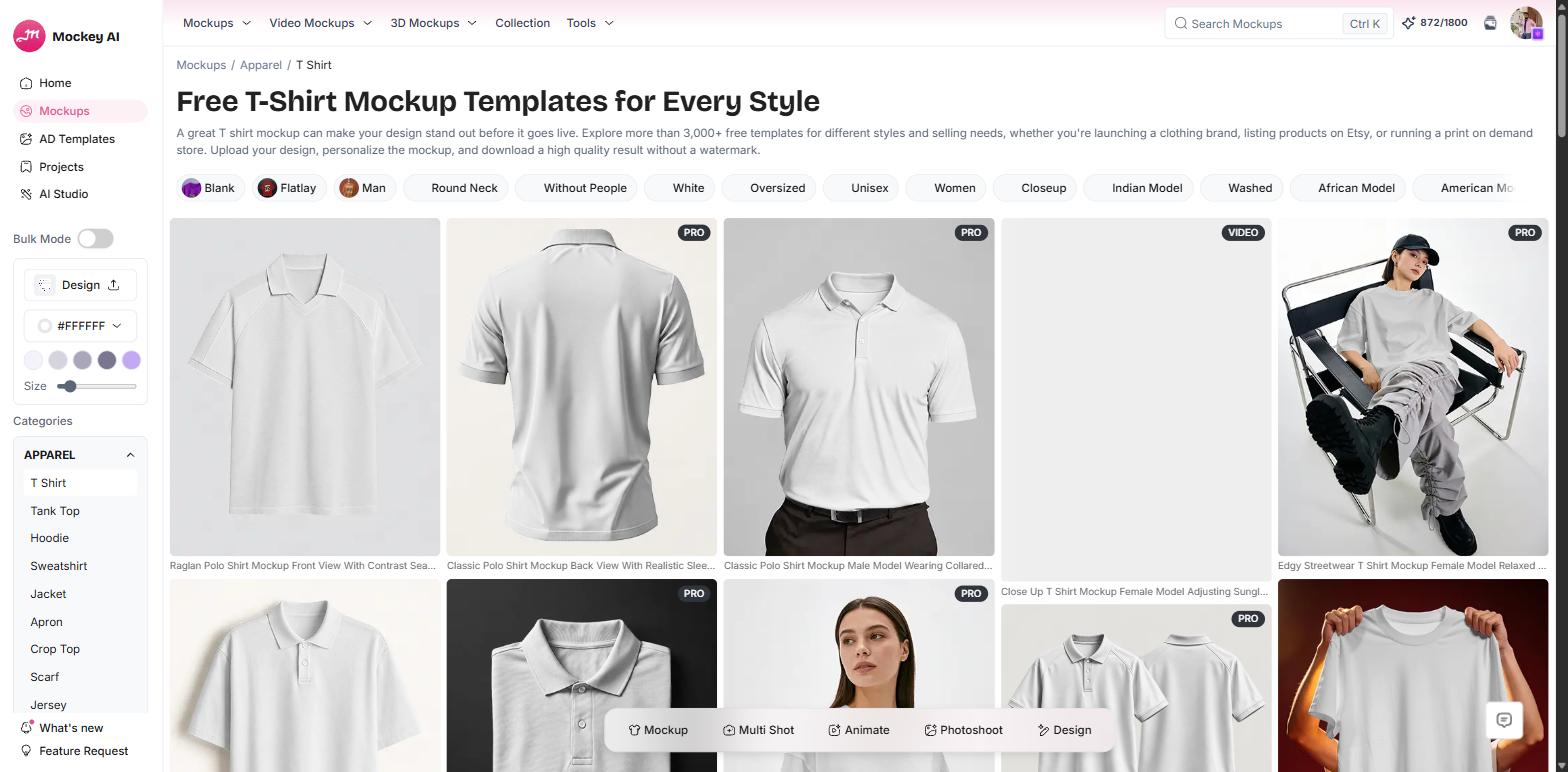
Mockey’s t-shirt mockup library is the one most print-on-demand sellers will get the most out of, because the whole tool is organised around how POD actually works rather than around general graphic design.
The library carries more than 3,000 free t-shirt templates, and the filter chips are the useful part: blank, flat lay, hanging, round neck, oversized, unisex, women, closeup, back view, model — including Indian, African and American model options, which matters if you sell to a specific market and want mockups your buyers recognise.
Bulk Mode lets you push one design across many templates at once, and the same workspace also holds Multi Shot, Animate, Photoshoot and Design tools, so you are not exporting into a second app to finish a listing set.
Pricing: the free plan gives 1,000+ mockups, JPG output and three downloads a day — but it is personal use only, so you cannot legally put the output on a listing. Commercial use starts on Starter at $4.10/month billed yearly ($49/year), which adds PNG, unlimited downloads, bulk download and 600 AI credits a year. Creator is $12.40/month billed yearly ($149/year) with 1,800 credits. There is also a one-time Forever plan at $199.
Watch out for: several of the best templates are marked PRO, so browse the free set before you assume a particular shot is included.
2. Placeit by Envato — the largest mockup library
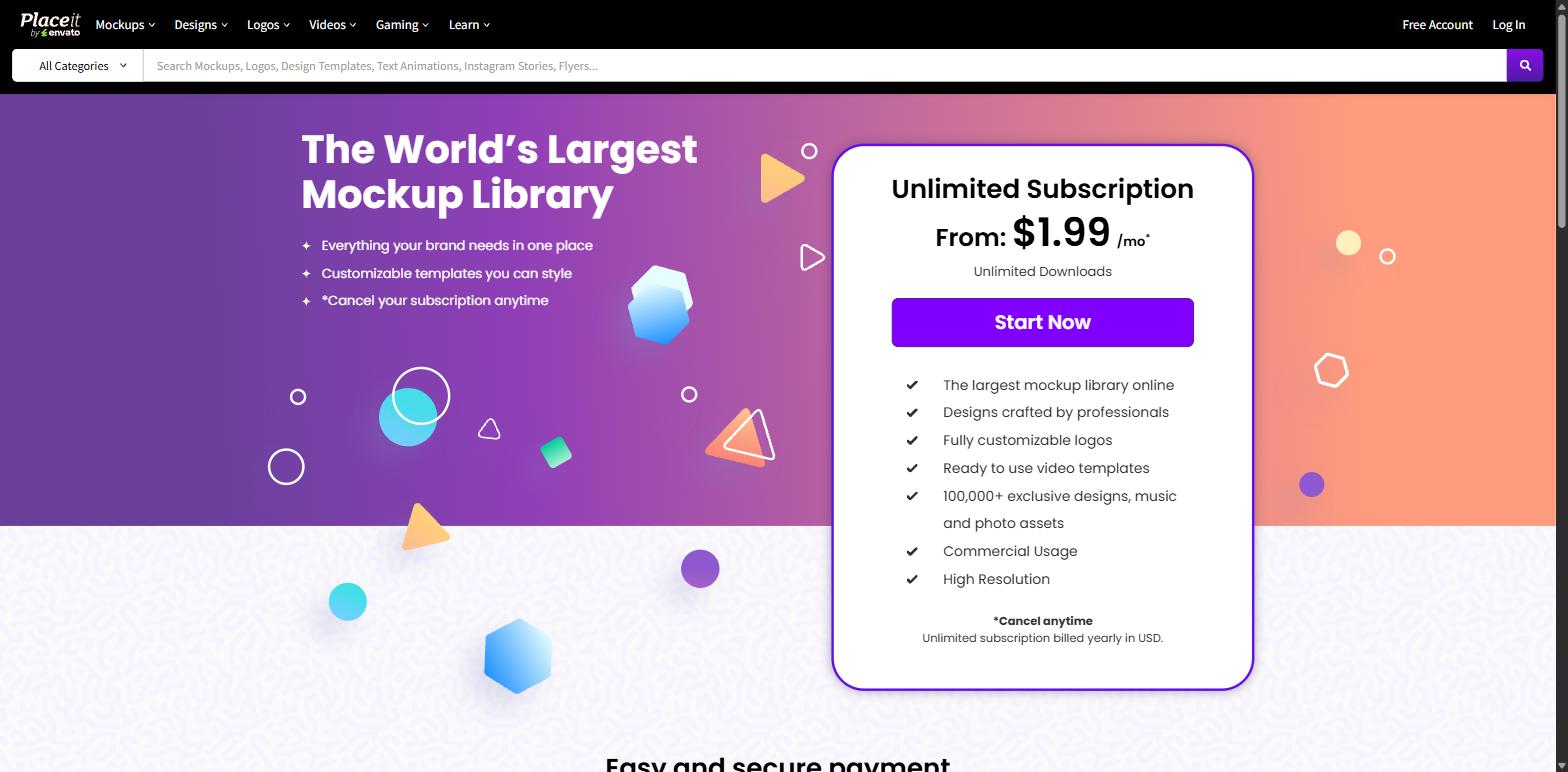
Placeit calls itself the world’s largest mockup library and it is hard to argue. If you want a very specific scene — a particular model, setting, lighting or crowd shot — Placeit almost certainly has it, and it has several near-identical variants so your listings do not look like everyone else’s.
It is also more than mockups: logos, video templates, design templates and social assets sit in the same subscription, which makes it good value if you are building a brand rather than just listing products.
Pricing: the Unlimited subscription is advertised from $1.99/month billed yearly in USD, with unlimited downloads, commercial usage, high resolution and 100,000+ exclusive design, music and photo assets. Placeit runs promotions constantly — we have also seen $7.47/month quoted on the same day — so check the price on the page before you commit. There is a free account with a limited set of free templates.
Watch out for: it is a subscription, not a one-off. Cancel when you have finished a batch if you only need it occasionally.
3. Canva — the easiest free t-shirt mockup generator
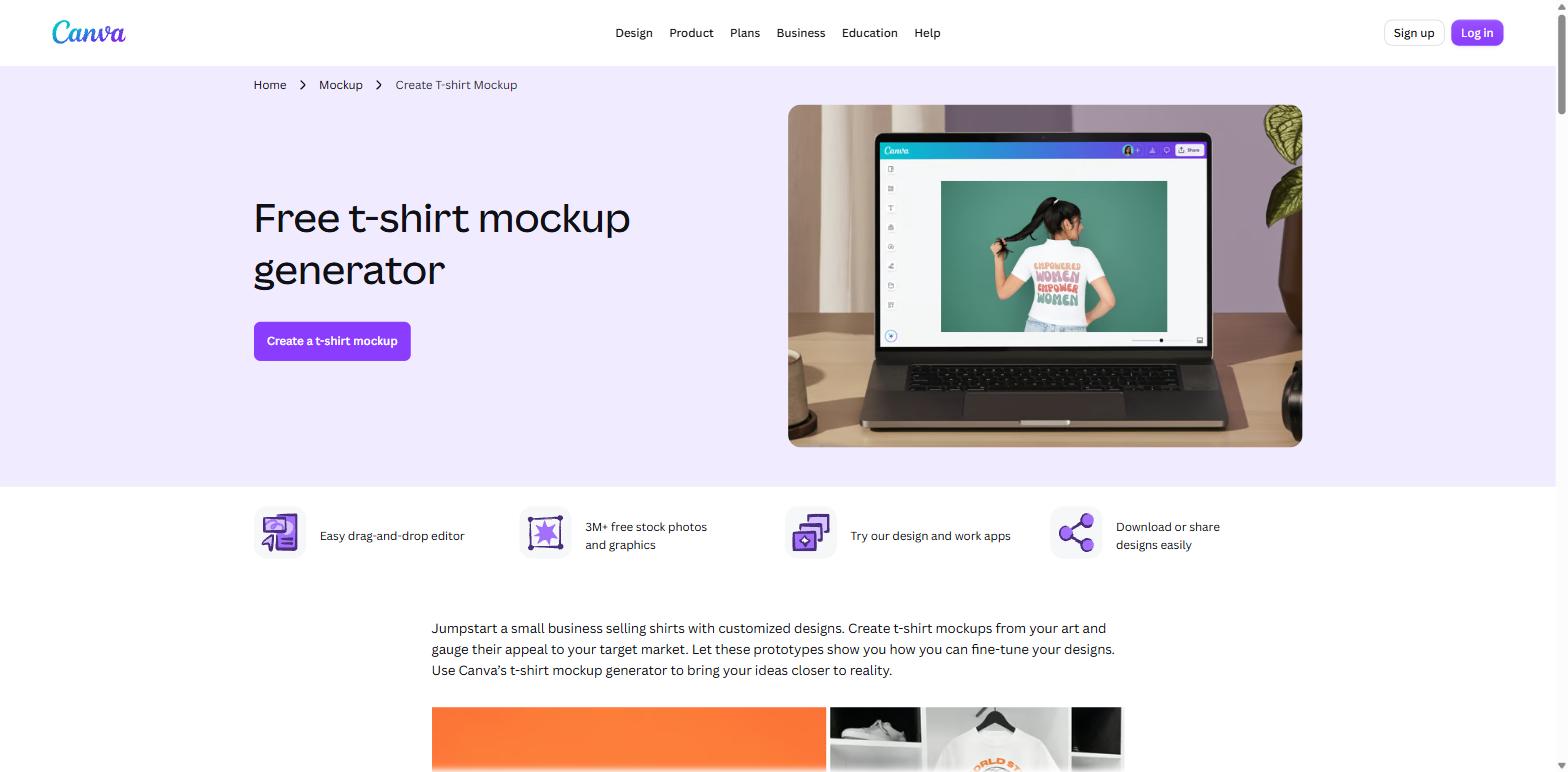
Canva is the tool most people already have open. Its free t-shirt mockup generator is a drag-and-drop editor with a large template set, 3M+ free stock photos and graphics, and the obvious advantage that your mockup, your Instagram post and your listing graphic all get made in one place.
Important 2026 update: Smartmockups no longer exists as a separate product. smartmockups.com now redirects to canva.com/mockups — it has been folded into Canva. Plenty of articles still list Smartmockups as its own tool with its own pricing. It is not.
Pricing (India): Free at ₹0, Pro Lite ₹1,590/year, Pro ₹4,000/year, Business ₹6,800/year per person. The free plan gives 1.6M+ templates and 4.7M+ stock assets; paid opens 3.6M+ templates and 141M+ assets.
Watch out for: Canva’s AI features run on a shared allowance that different tools draw down at different rates, so “included” does not mean unlimited.
4. Dynamic Mockups — best for bulk and automation
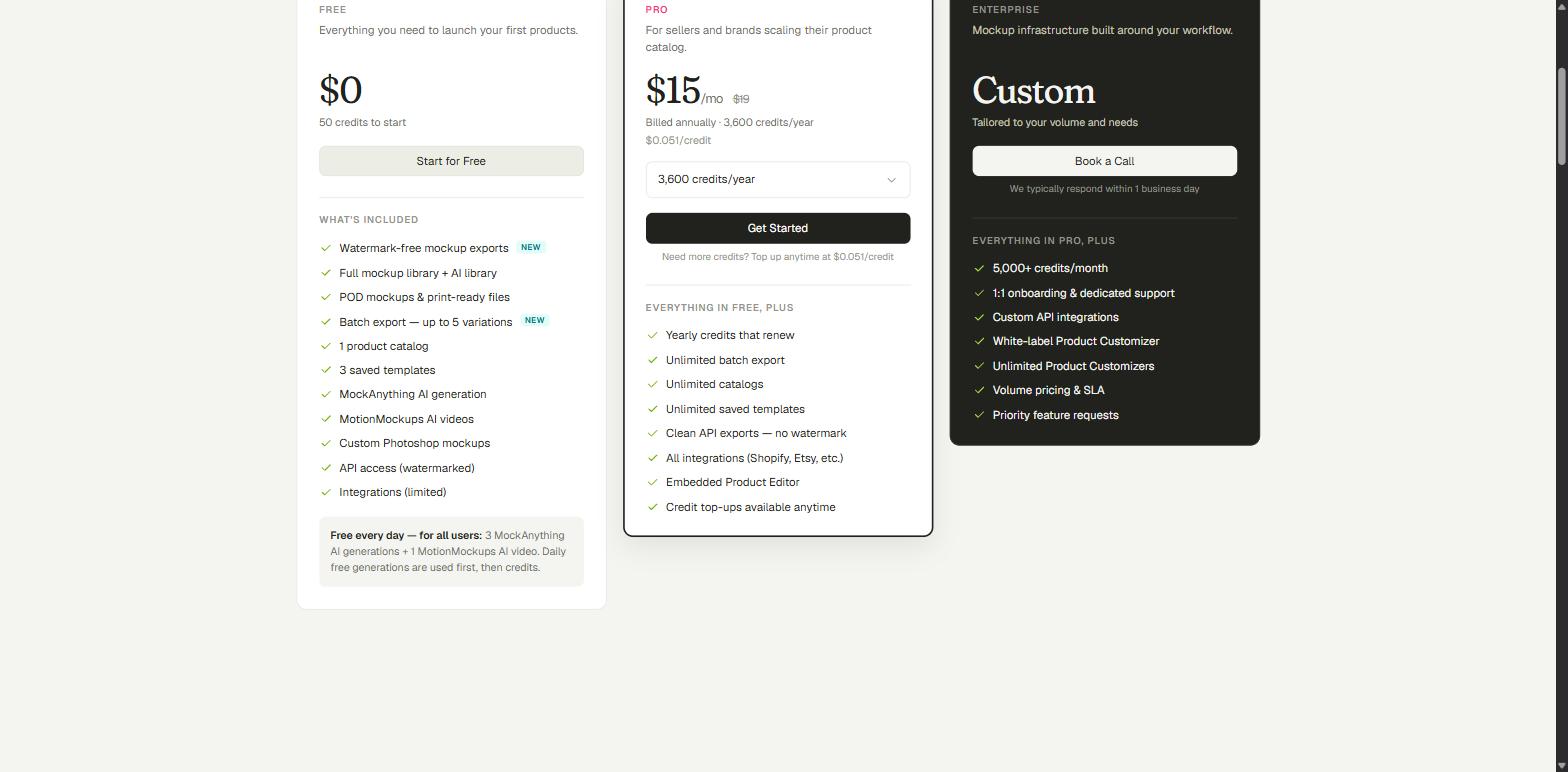
Dynamic Mockups is the answer once you stop making mockups one at a time. It does batch export across colour and design variants, imports your own Photoshop PSD mockups, and has a proper API plus integrations with Shopify, Etsy and others, so mockups can be generated as part of your product workflow instead of by hand.
Pricing: the free plan is unusually generous — $0 with 50 credits to start, watermark-free exports, the full mockup library, POD and print-ready files, batch export up to 5 variations, 1 product catalog and 3 saved templates. Every user also gets 3 AI generations and 1 motion video free daily. Pro is $15/month billed annually (list price $19) with 3,600 credits a year, working out at $0.051 per credit, and unlocks unlimited batch export, unlimited catalogs, clean API exports and all integrations.
Watch out for: API renders are watermarked on the free plan. Clean API output needs Pro.
5. Mediamodifier — best for custom PSD mockups
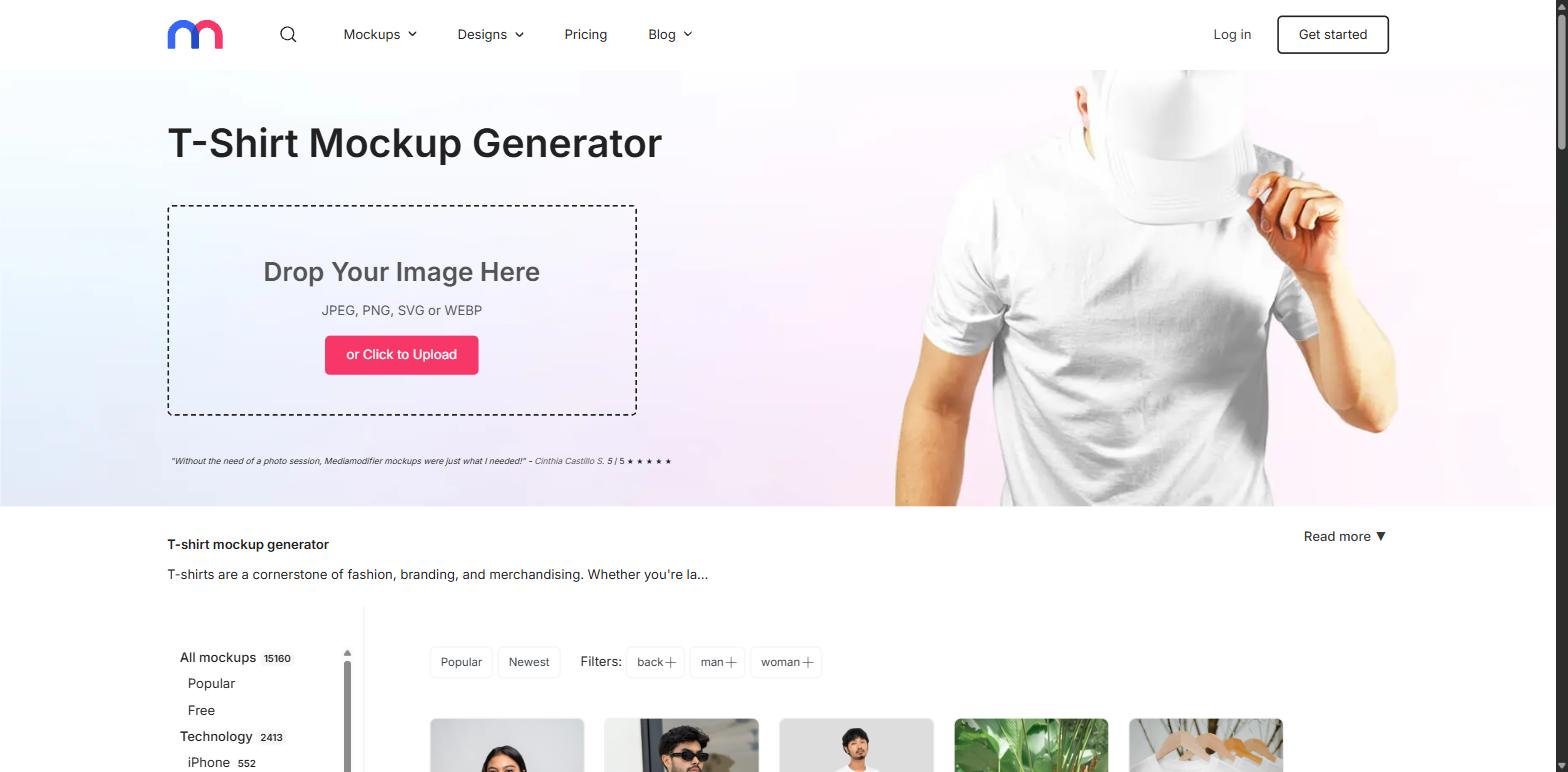
Mediamodifier has 15,160 mockups in its library and a t-shirt generator that takes JPEG, PNG, SVG or WEBP straight into a drag-and-drop box. Filters cover back, man and woman shots, and the apparel range extends to sweatshirts and hoodies.
Its real differentiator is that paid plans let you upload your own PSD mockups and use them in the editor. If you have bought or shot custom mockup files, this turns them into a reusable generator instead of a Photoshop chore.
Pricing: a free Starter tier with limited downloads, 100+ free design templates and 1,300+ free fonts. Professional is $15.83/month, or $8.25/month billed yearly ($190/year), with unlimited downloads, 10,000+ mockup templates, a commercial licence and custom PSD upload. Team is $37.50/month billed yearly ($450/year) for up to 5 people and adds the Mockup API.
Watch out for: there is no 3D editor here. It is a 2D template tool, and a good one.
6. Pacdora — best free 3D t-shirt mockup generator
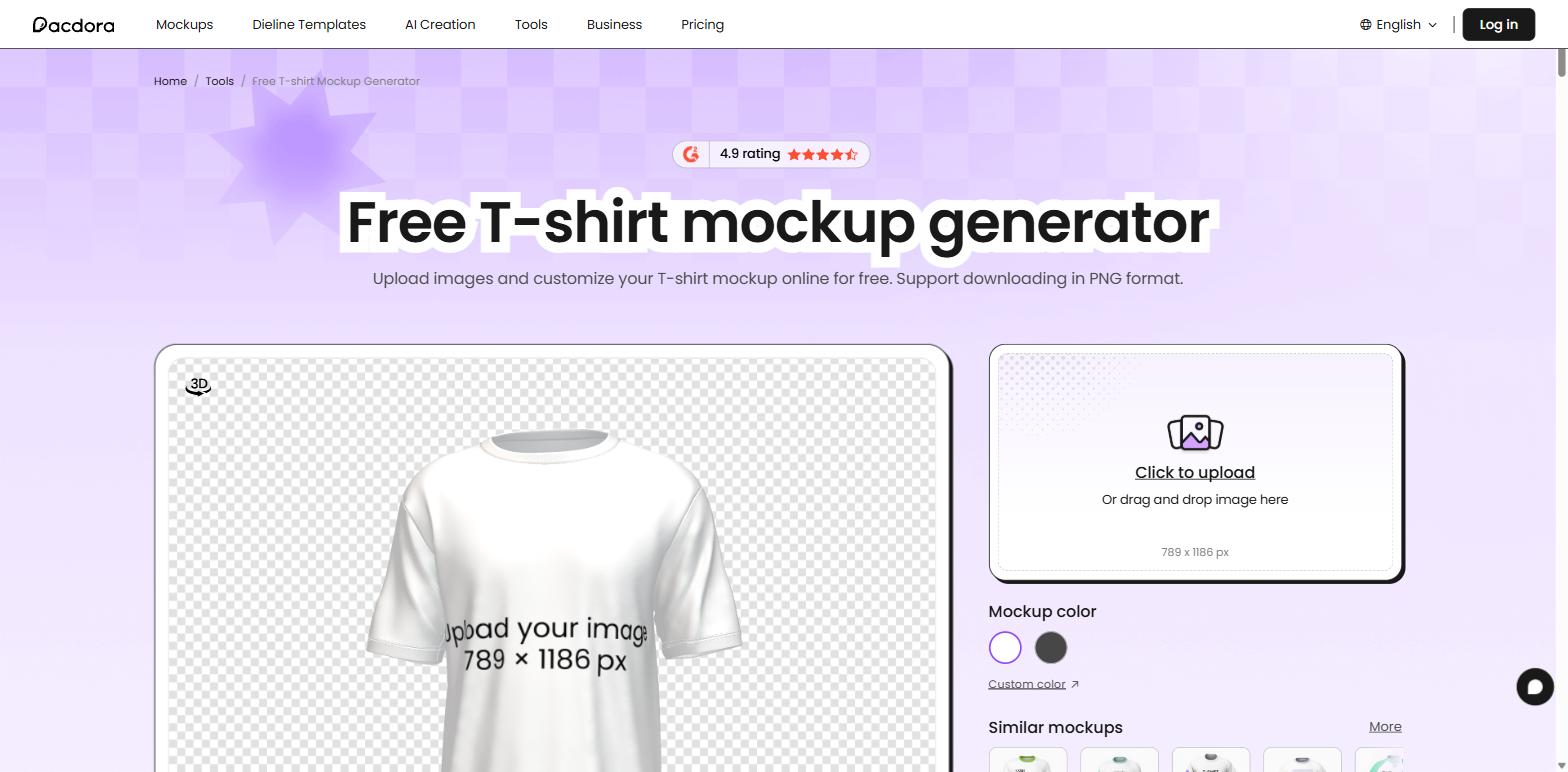
Pacdora’s 3D t-shirt mockup generator lets you rotate the shirt, change its colour and drop your artwork onto a 789 × 1186 px print area, then download as PNG. Being able to spin the garment and check how a design sits on the shoulder or hem is genuinely useful before you commit to a print run.
The wider library runs to 5,000+ mockups and 3,000+ dieline templates, so it is also the pick if you sell packaging alongside apparel.
Pricing: the free plan allows unlimited projects and uploads plus 50 AI credits a month — but it applies a watermark, is personal use only, renders slowly and caps resolution. Lite, Pro and Business remove the watermark, speed up rendering, add commercial rights and unlock exports up to 8K.
Watch out for: a lot of articles claim Pacdora gives you unlimited free t-shirt mockups. The pricing page is clear that free output is watermarked and personal use only, so it is not a free route to a live listing.
7. 3dmockup.co — best for 3D mockups with animation
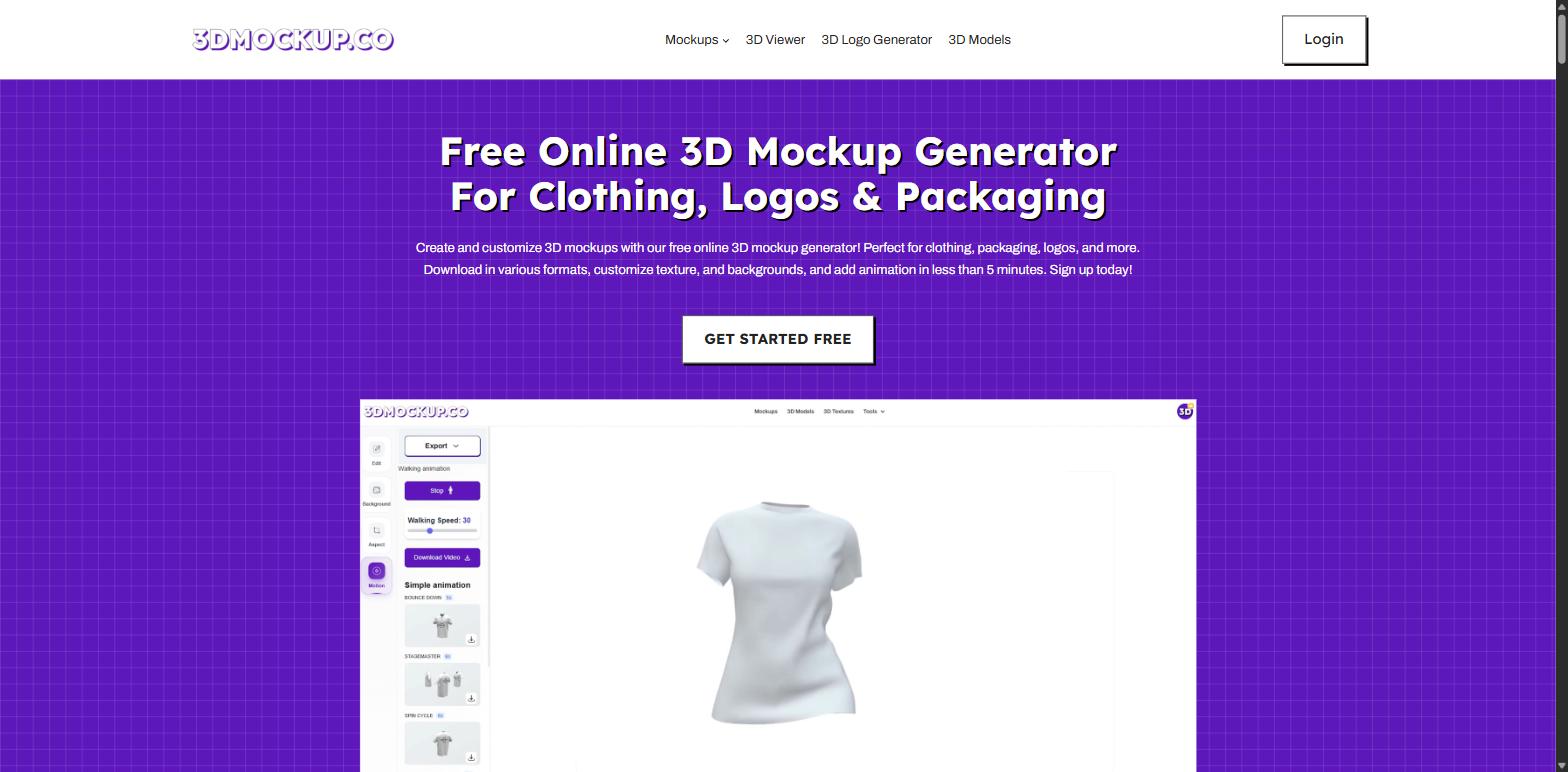
3dmockup.co is the most interesting tool on this list, because it does the one thing none of the others do properly: motion. Alongside standard 3D mockups you get animation presets — a walking animation with adjustable speed, plus bounce, spin and stage-turn effects — and you can download the result as a video.
For Instagram Reels, product pages and ads, a shirt that moves stops the scroll in a way a flat mockup does not. The library runs to over 1,000 templates with new ones added weekly, and covers standard, oversized, polo and hoodie cuts, plus packaging and logo mockups through its 3D Viewer, 3D Logo Generator and 3D Models sections.
Pricing: free forever, with limited templates, basic resolution and ads. Pro is listed at $9.99/month and currently discounted to $4.99/month, or $59.99/year discounted to $29.99/year. There is a Lifetime Pro option at $159.99, currently $79.99 one-time. Pro unlocks all templates, animations, 3D models, high-resolution downloads and custom backgrounds.
Watch out for: the free tier shows ads and caps resolution, so treat it as a trial rather than a production plan.
Free vs paid: what you actually give up
Across all seven tools, free plans hold back the same four things. Know which one will bite you:
- Commercial licence. This is the big one. Mockey’s free plan and Pacdora’s free plan are both personal use only. Generating a mockup for free does not give you the right to sell with it.
- Watermarks. Pacdora watermarks free output. Dynamic Mockups does not watermark web exports even on free, which makes its free tier the most usable of the lot.
- Resolution. Free tiers cap export size. Most marketplaces want at least 2,000px on the long edge, so check before you build a full colour range.
- Volume. Three downloads a day is fine for one listing and useless for fifty.
How to make a t-shirt mockup, step by step
- Export your design as a transparent PNG at the largest size you have. Mockup tools scale down cleanly and scale up badly.
- Pick a template that matches the garment you actually sell. A fitted, draped mockup on a boxy heavyweight tee is the single most common cause of “this is not what I ordered”.
- Set the shirt colour to the exact variant you list. Match your supplier’s swatch, not your screen.
- Position from the collar, not the edges. Most print areas are measured down from the neckline.
- Export the largest size on offer, then build the set: one hero, one flat lay, one closeup of the print, one on-model shot.
- Repeat per colour. One mockup reused across every colour variant costs you the swatch previews buyers use to choose.
If you are still choosing where to sell, our guide to the best print on demand sites in India covers the platforms, and how to start an online t-shirt business in India walks through the rest of the setup.
What changed in 2026
- Smartmockups was absorbed into Canva. Its domain now redirects to canva.com/mockups. If an article still lists it as a standalone tool with its own pricing, that article has not been checked this year.
- Free tiers got stricter on licensing, looser on watermarks. Dynamic Mockups now offers watermark-free exports on its free plan, while personal-use-only clauses have become the more common limit.
- 3D and motion went mainstream. Two of the seven tools here are 3D-first, and animated mockups are now a standard export rather than a novelty.
Can you sell products using mockups?
Yes, with two conditions. First, your plan must include a commercial licence — several free tiers do not. Second, the mockup must honestly represent what ships: the right cut, the right colour, the right print placement. A mockup that flatters a product you do not actually sell drives returns and bad reviews, and those cost far more than a subscription.
For marketplaces, mockups are normally fine for print-on-demand listings where a production partner prints your original design onto a base item. Many marketplaces still recommend leading with a real photo, so if you can order one sample and shoot it, do — then use mockups for the rest of the set.
Which t-shirt mockup generator should you choose?
- You run print-on-demand and want one tool: Mockey AI.
- You want the widest choice of scenes and models: Placeit.
- You have never made a mockup before: Canva.
- You are listing dozens of SKUs: Dynamic Mockups.
- You own custom PSD mockup files: Mediamodifier.
- You want to see the shirt in 3D for free: Pacdora.
- You want video and animated mockups: 3dmockup.co.
Start free, make five mockups for your worst-performing listing, and swap them in. If the listing moves, you know which tool is worth paying for. For a wider view across all apparel, not just tees, see our roundup of the 7 best mockup sites for clothing.
Frequently asked questions
What is a t-shirt mockup generator?
A t-shirt mockup generator is an online tool that places your design onto a photo or 3D model of a t-shirt, so you can show buyers a realistic product image without printing anything. You upload artwork, pick a template, set the shirt colour, and download the result.
Which is the best free t-shirt mockup generator?
Canva is the easiest free option and Mockey AI has the largest free t-shirt library at 3,000+ templates. But for free output you can legally sell with, Dynamic Mockups is the strongest: its free plan gives watermark-free exports and 50 credits, where Mockey’s and Pacdora’s free tiers are personal use only.
Can I make a t-shirt mockup without Photoshop?
Yes. Every tool on this list runs in a browser and needs no Photoshop. Mediamodifier and Dynamic Mockups additionally let you import Photoshop PSD mockup files on paid plans if you already own them, but none of them require the software.
Is there an AI t-shirt mockup generator?
Yes. Mockey AI generates mockups and AI product scenes in the same workspace, and Dynamic Mockups includes AI generation and AI motion videos with free daily allowances. AI here mostly means generated backgrounds and scenes rather than the garment itself, which is still template or 3D based.
What is the difference between a 2D and a 3D t-shirt mockup?
A 2D mockup maps your design onto a fixed photo of a shirt, which looks realistic but only from that one angle. A 3D mockup renders an actual model you can rotate and relight, so you can check the design from any side and export animation. Pacdora and 3dmockup.co are the 3D options here.
Do I need a licence to sell t-shirts using mockups?
You need whatever commercial licence your mockup tool’s plan grants. Free plans on Mockey and Pacdora are personal use only and do not cover selling. Paid plans on all seven tools include commercial use. The design on the shirt is a separate question — that must be your own or properly licensed.
What size should a t-shirt mockup be?
Export the largest size your template offers. Most marketplaces want listing images of at least 2,000 pixels on the long edge, and you can always size down later but never up. Pacdora’s 3D t-shirt print area, for reference, is 789 × 1186 px.
Are t-shirt mockup generators good for Etsy and Shopify listings?
Yes, and Dynamic Mockups integrates directly with both on paid plans so mockups can be generated as part of your product workflow. Check each marketplace’s image policy first; most allow mockups for print-on-demand but still recommend a real photo as the first image.
Read next
- 7 best mockup sites for clothing in 2026
- T-shirt size chart for India, men and women
- How to start a print on demand business
- Is print on demand profitable in India?
- Top 10 best ecommerce platforms in India
Prices, template counts and plan limits in this article were verified on each tool’s own pricing page in September 2026. This category changes fast — check the current page before you subscribe.
